Read your script without looking away from the camera.
The teleprompter that lives right at your camera line.
Record videos, lessons, and demos with fewer retakes.
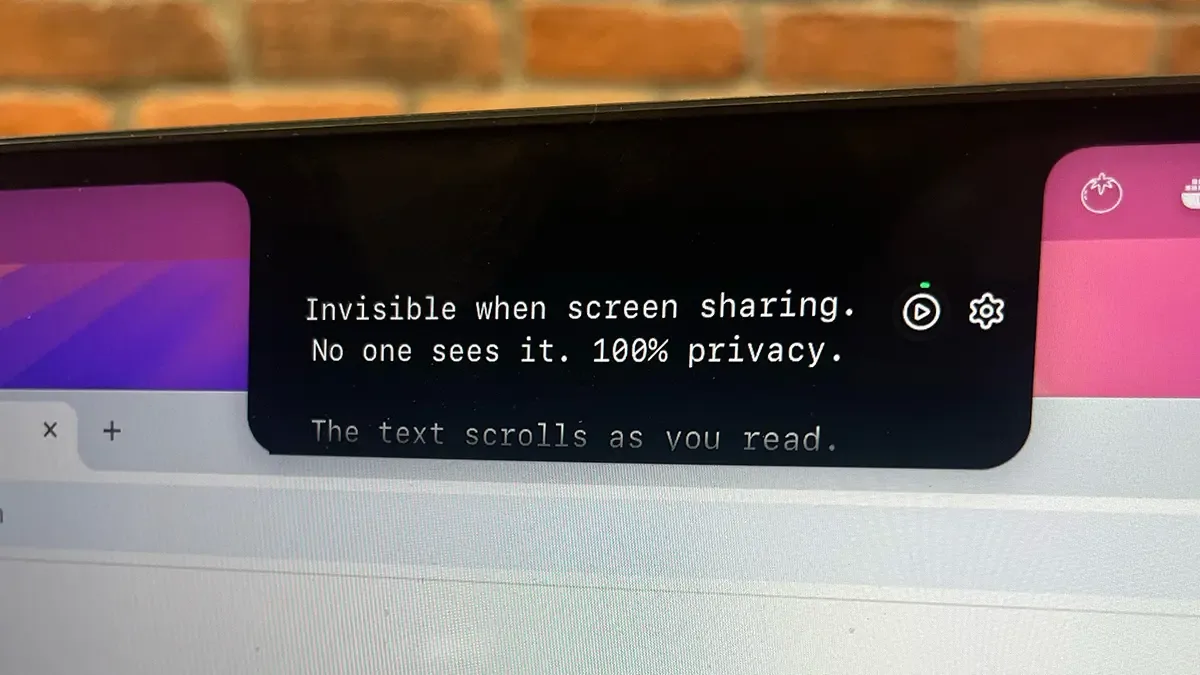
Invisible during screen sharing. No one will ever know.
From script to video in 3 steps —
no complicated setup.
Paste your script. Move it near your camera. Hit record.
No second screen. No messy notes. No guessing what to say next.
 1
1Paste your script
Continuous text, bullets, topics — Lumi accepts it the way you wrote it.
 2

2Look at camera, read text
Text scrolls as you speak (or at your set speed). Hover to pause. The script is right below your camera—so you maintain perfect eye contact.
 3
3They never know
Share your screen on Zoom, Meet, or Teams. Lumi is completely invisible to your audience. Your secret stays safe.
Your notes stay visible to you. Hidden from everyone else.
Even on Zoom, Meet, or Teams. Lumi sits in your line of sight, but disappears from the shared screen — only you see it, everyone else thinks you memorized everything. The difference between freezing mid-presentation and closing with authority.
 Zoom
Zoom Google Meet
 Microsoft Teams
Every detail designed so you record — and sound natural.
Recording and teleprompter. In the same app. No fuss.
All in one, no window switching
You record and read in the same place. No friction, no distraction.
Nobody sees the script. Just you.
The text appears to you, invisible to viewers.
Adjust in seconds, not minutes
Speed, font, and position — all within reach before hitting record.
Say the same thing every time
Paste your script and deliver the right message — in every video, without variation.
The script rolls with you, not against you.
Regular teleprompters have two problems: either you rush to keep up with the text, or the text pauses and leaves you stuck waiting. FlowPrompt™ flips that — you set the pace.
The result: camera presence, eye contact, and naturalness — even reading every word.
Unlike a fixed-speed teleprompter, FlowPrompt™ is built around your pace — so you don't have to chase the text.
I'm going to share the strategy
that changed the way
I create content —
and it'll work for you.
It's not about memorizing.
FlowPrompt™ listening to your pace
The script follows your speech
If you record or present often, Lumi was made for you.
Precision tools designed for professionals who demand excellence in every frame.
Content creators
Record your YouTube, Reels, or tutorial on the first take — without losing naturalness.
Course creators and teachers
Deliver your lesson with clarity and consistency — in every recording, from module 1 to the last.
Sales and presentations
Close with authority. Your pitch always sharp, your proposal always on point.
Those who record for a living, record with Lumi.
Content creators, course creators, and sales teams
share their before and after.
Jordan Walsh
Course creator · marketing
Emma Sullivan
Sales trainer · B2B
Camila Reyes
Personal brand coach
Natural recordings.
One simple price.
Keep your script near the camera, maintain eye contact,
and record with confidence.
recurring · cancel anytime
- Full platform access
- Teleprompter + recorder
- Cancel anytime — no contract
- Email support
no subscription · free updates forever
- Everything in the monthly plan
- One payment — no monthly bill
- Always up to date — every future update, free
- Priority email support
Cancel anytime. No hidden fees. Real human support.
Still have questions?
The answer is probably here.
Everything you need to know about how Lumi works,
compatibility, and billing.
How does cancellation work?+
Does the script appear in recordings or screen shares?+
Which apps does Meeting Mode work with?+
Am I locked into a subscription?+
Is Lumi only for recording videos?+
What's the difference between Monthly and Lifetime?+
Does Lumi work on macOS, Windows, and the web?+
Is my script stored online?+
Still thinking? Get Lumi for $27 — one payment, yours forever.
Get Lumi for $27